
Ticket Creation: Once a support ticket is created, the system will automatically send an email to notify you.
Email Notification: This email will confirm that the ticket was successfully shared with your organization.
Tracking and Updates: You can refer to this email for details and use any provided links or ticket numbers to track the progress.
This keeps everyone informed of the status right from the beginning.
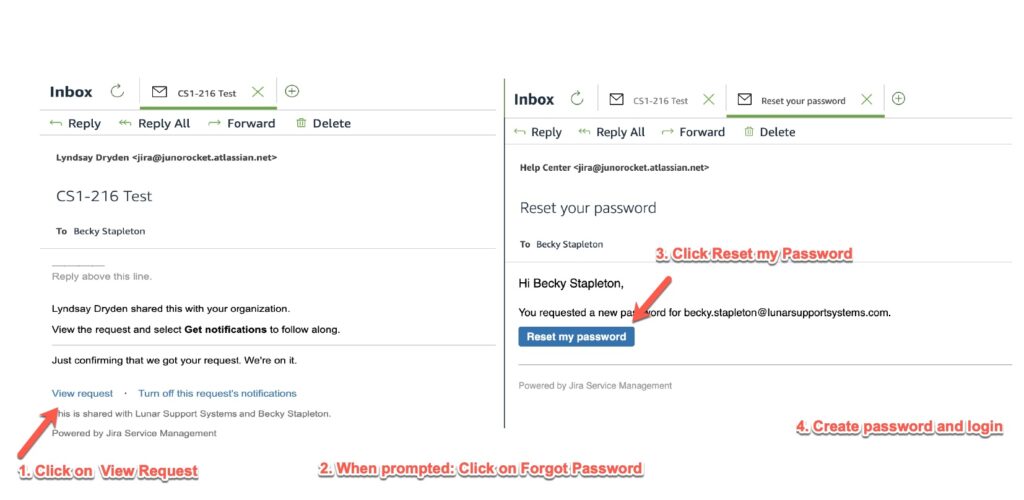
- Go to the login page and click View Request.Click on Forgot Password.
- You should receive an email titled Reset your Password.
- Open the email and click on Reset my Password.
- Follow the link to create a new password.
- Once you’ve set your new password, return to the login page and log in with your updated credentials.